Travel Flow
TravelFlow is a conceptual client and reservation management tool designed for travel agents who handle multiple clients and trips simultaneously. The goal of the project was to explore how client information and reservations can be structured to allow quick access to key details without disrupting the main workflow.
Client
Travel Flow
Role
UX/UI, Product Design, Prototyping
Year
2025
Context
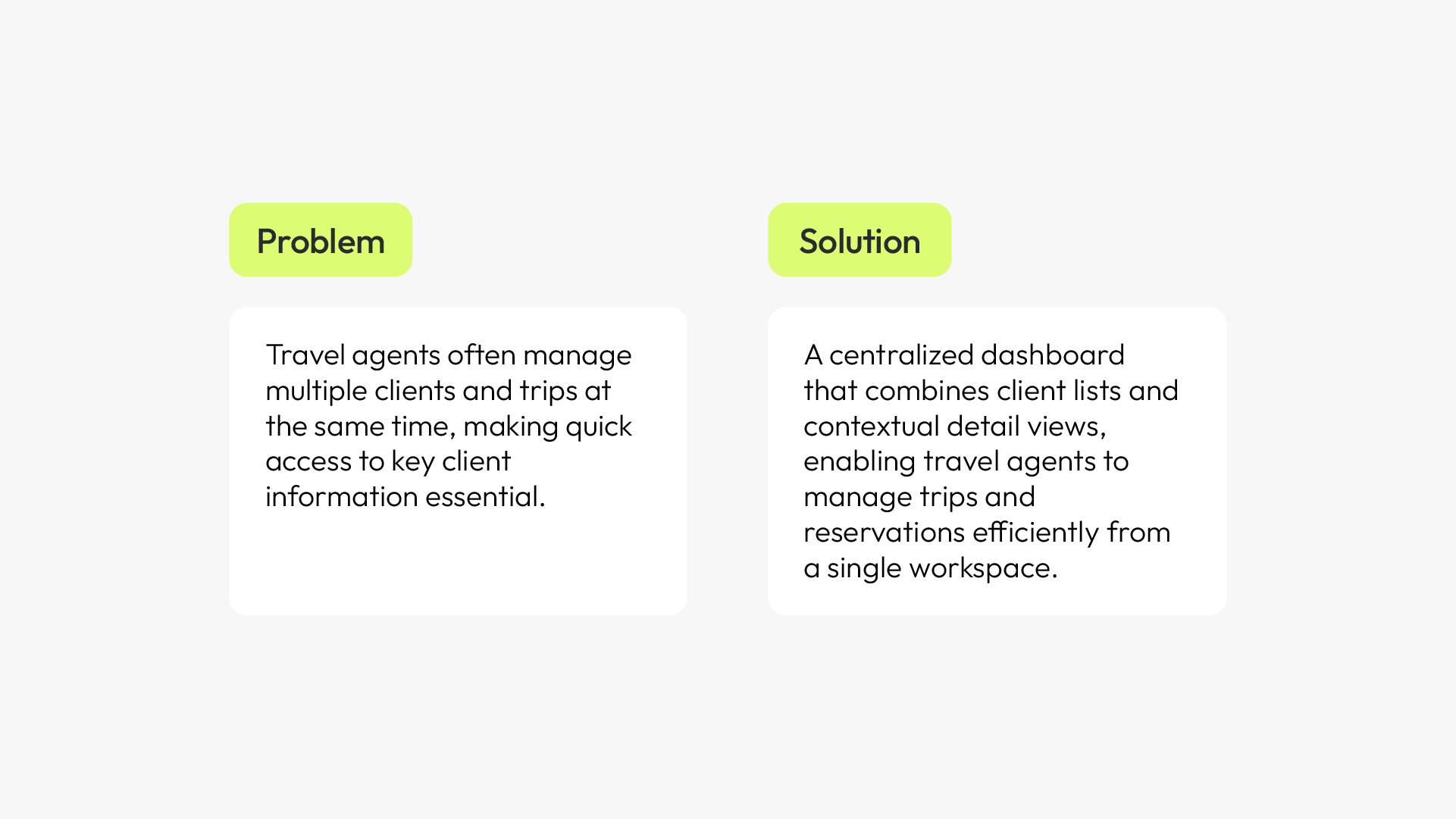
Travel agents manage multiple clients and trips simultaneously, but existing tools make it difficult to quickly access key client information without leaving the main workflow.
As an MVP, the goal was to validate a simplified approach that integrates key client information directly into the workflow, reducing friction without introducing additional complexity.
Wireframes
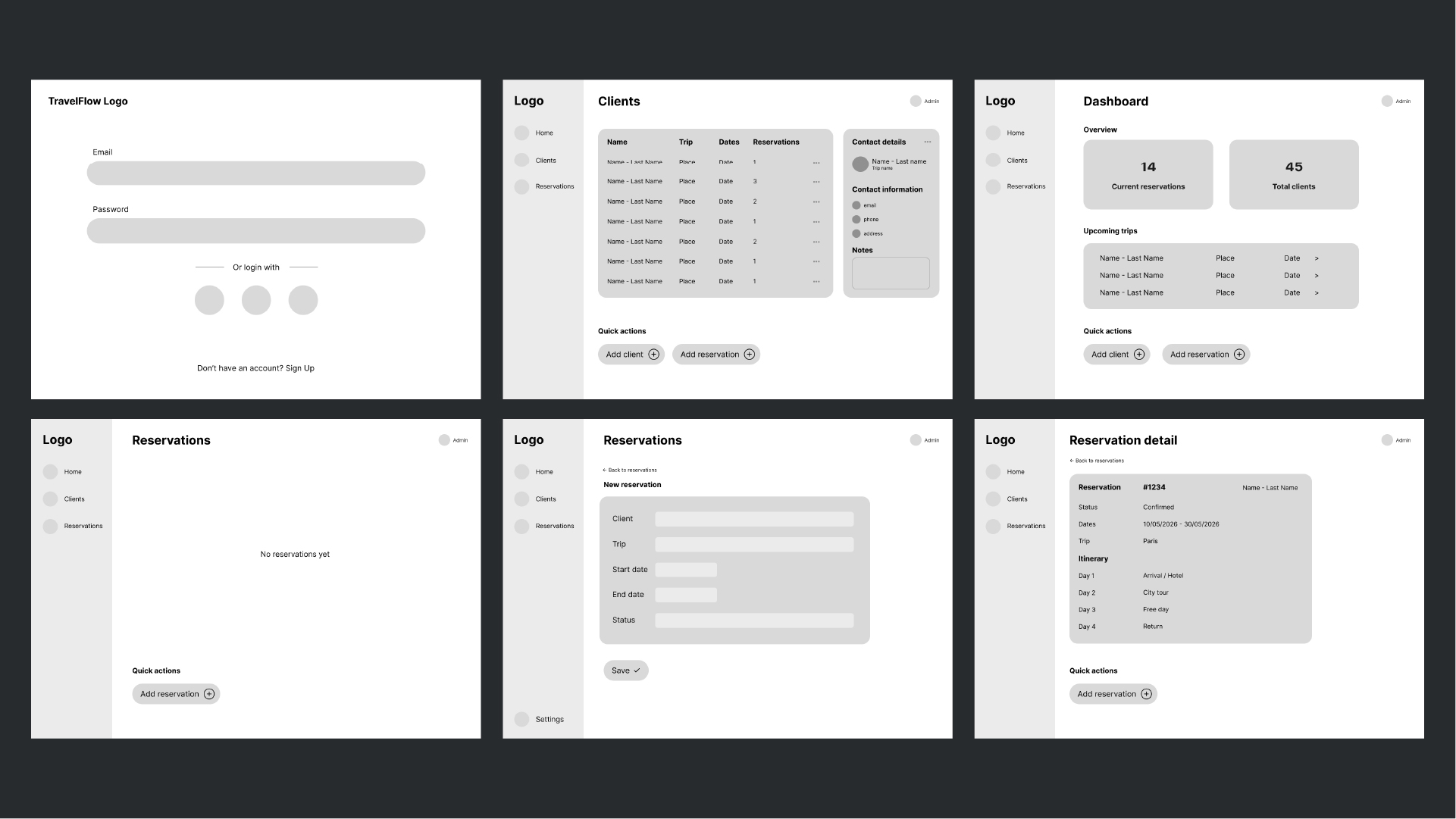
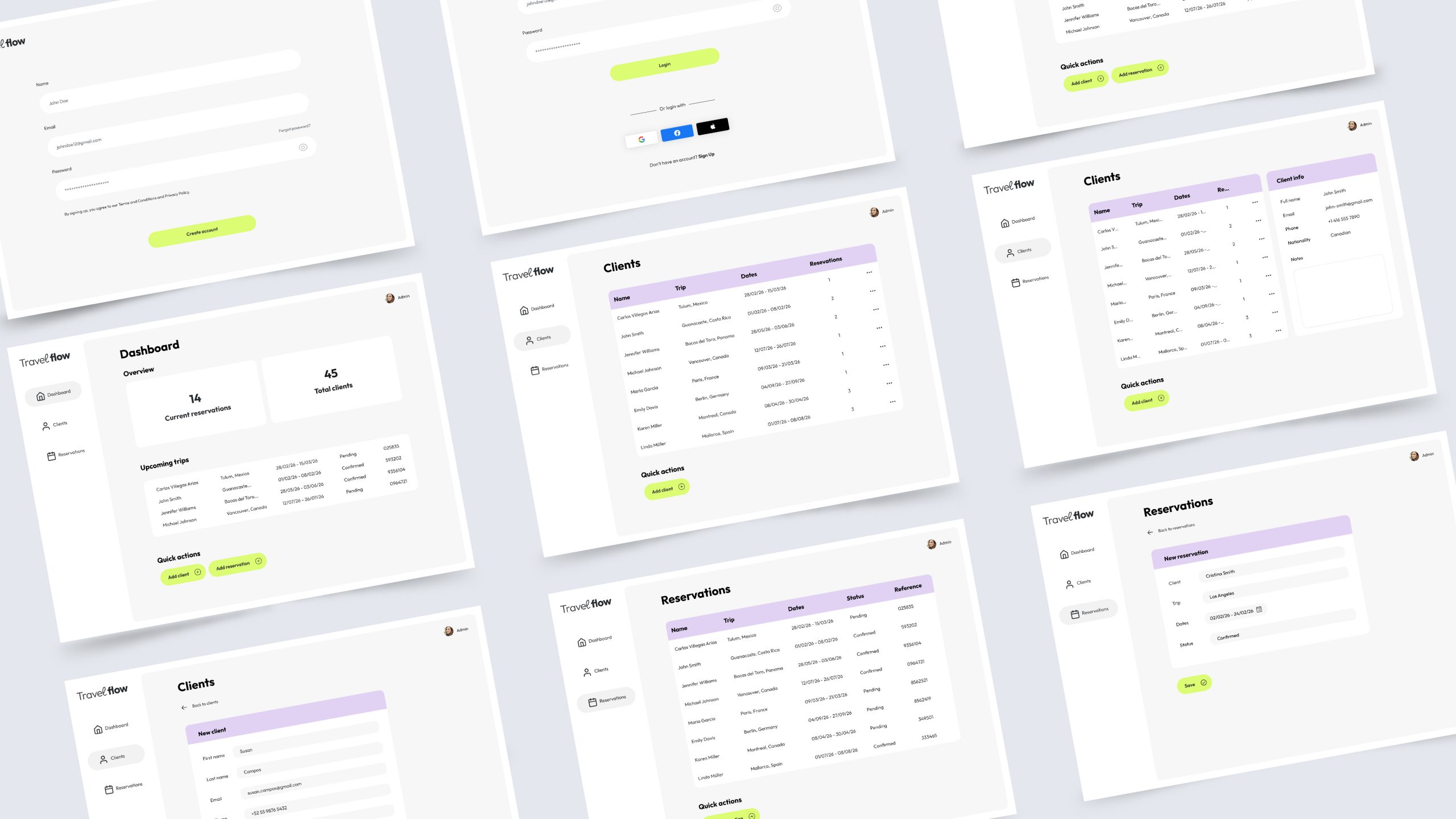
As part of the MVP, the wireframes define a clear, efficient structure for managing clients, trips, and reservations.
Instead of adding features, the priority was to simplify navigation and surface the most critical information within the main workflow.
User flow
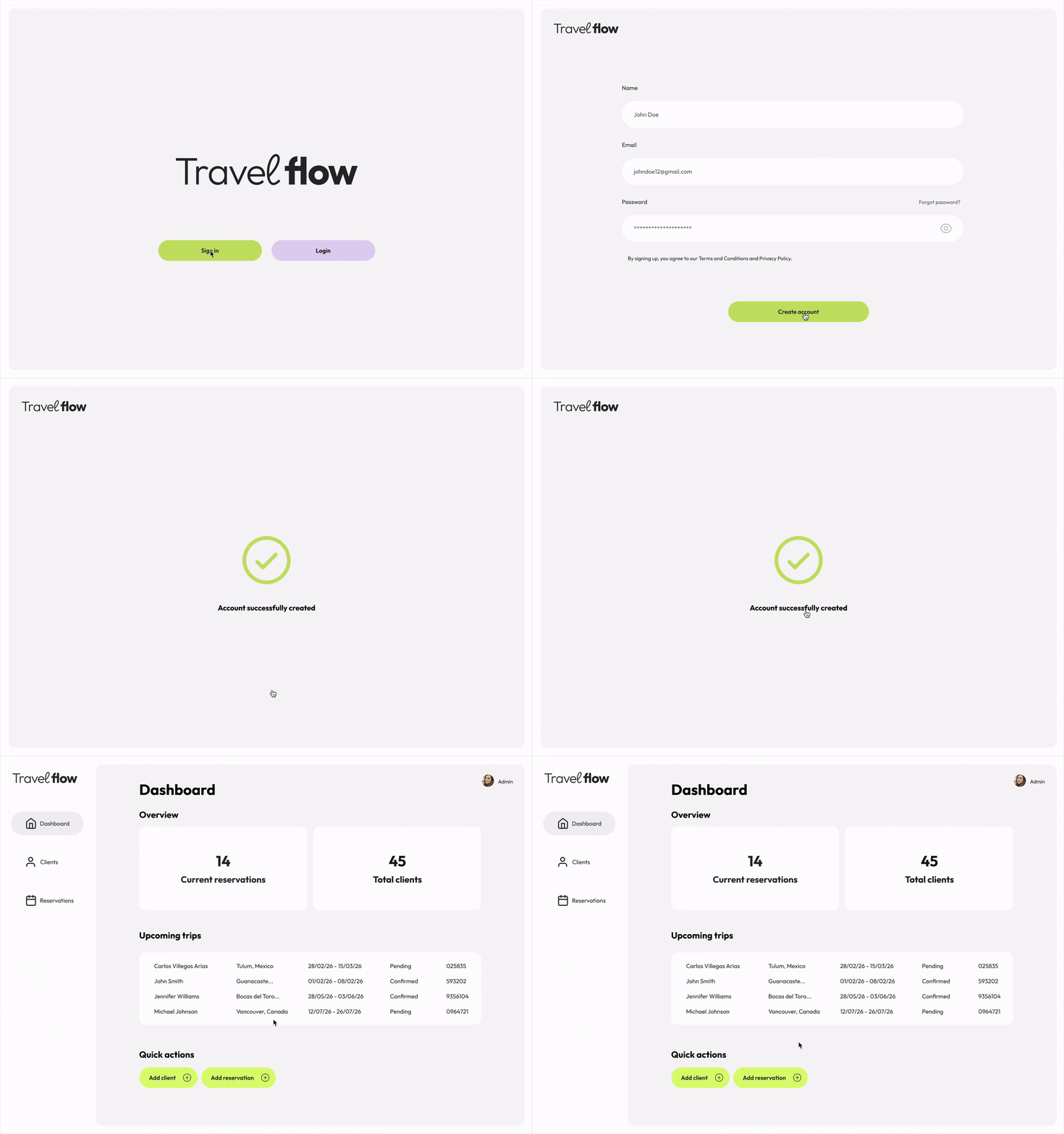
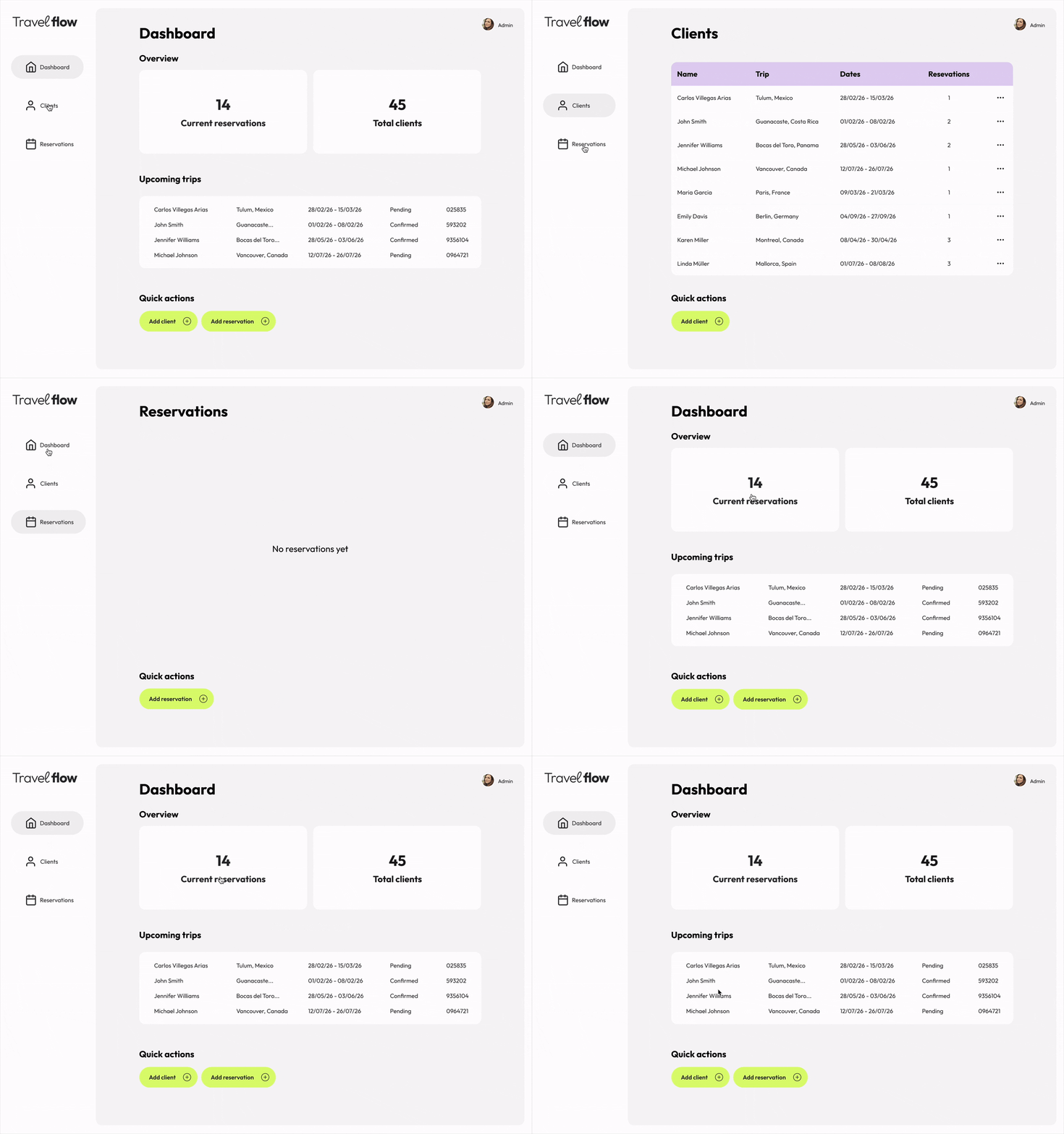
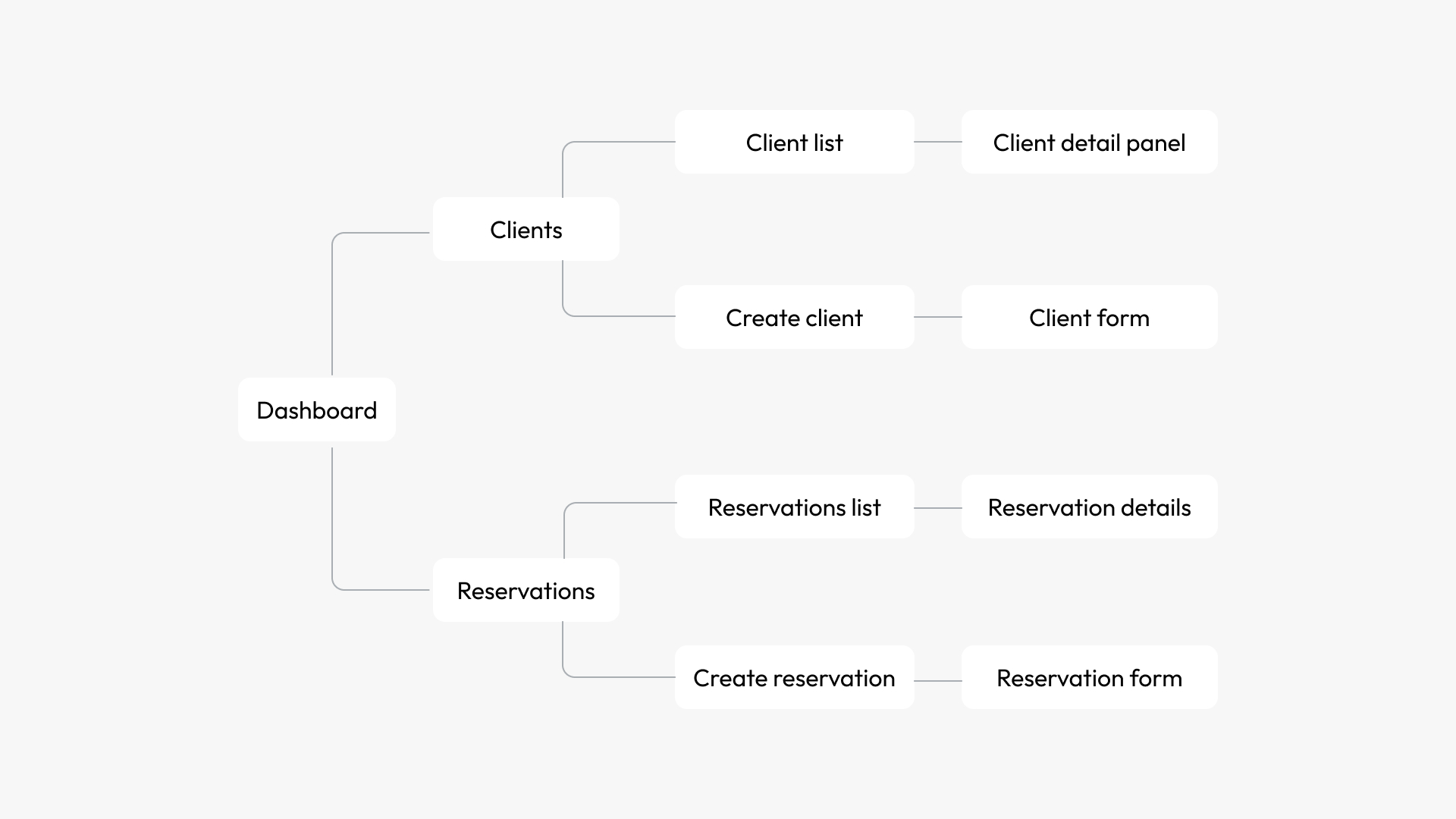
The user flow was designed to support travel agents' daily workflow, allowing them to move seamlessly between clients and reservations.
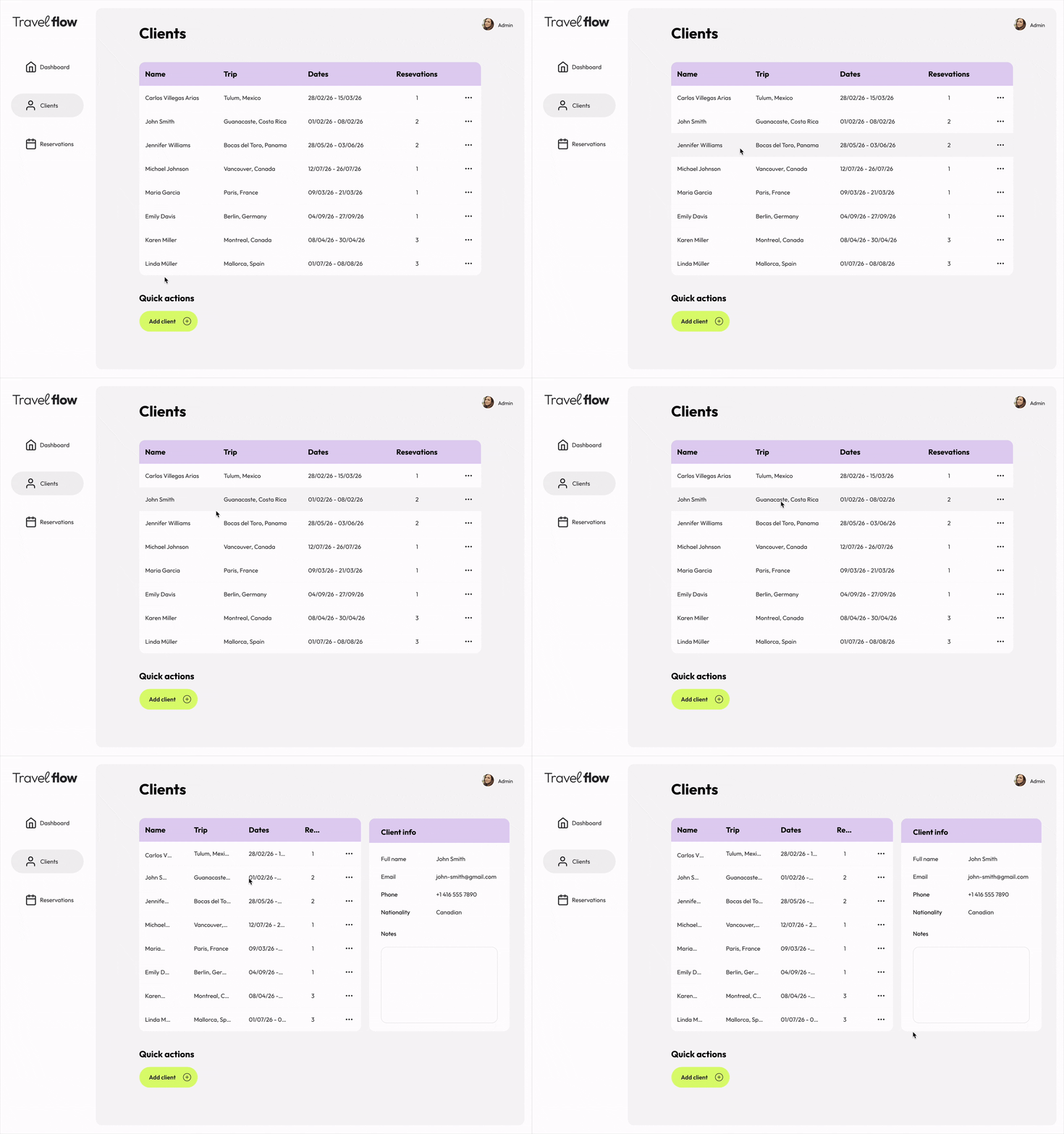
Key actions such as viewing client details, creating new clients, and managing reservations can be completed with minimal steps and without leaving the main context.
Design
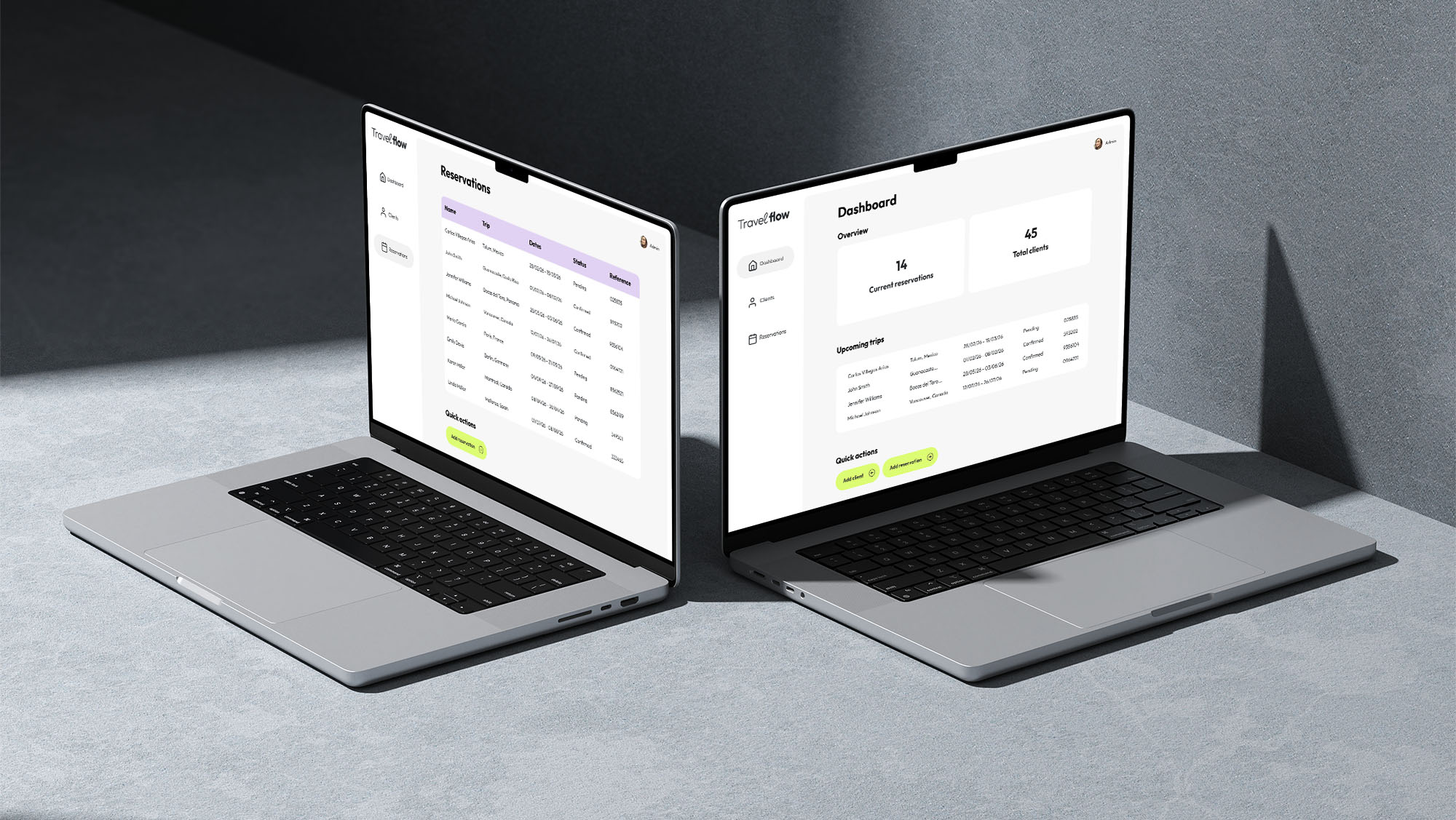
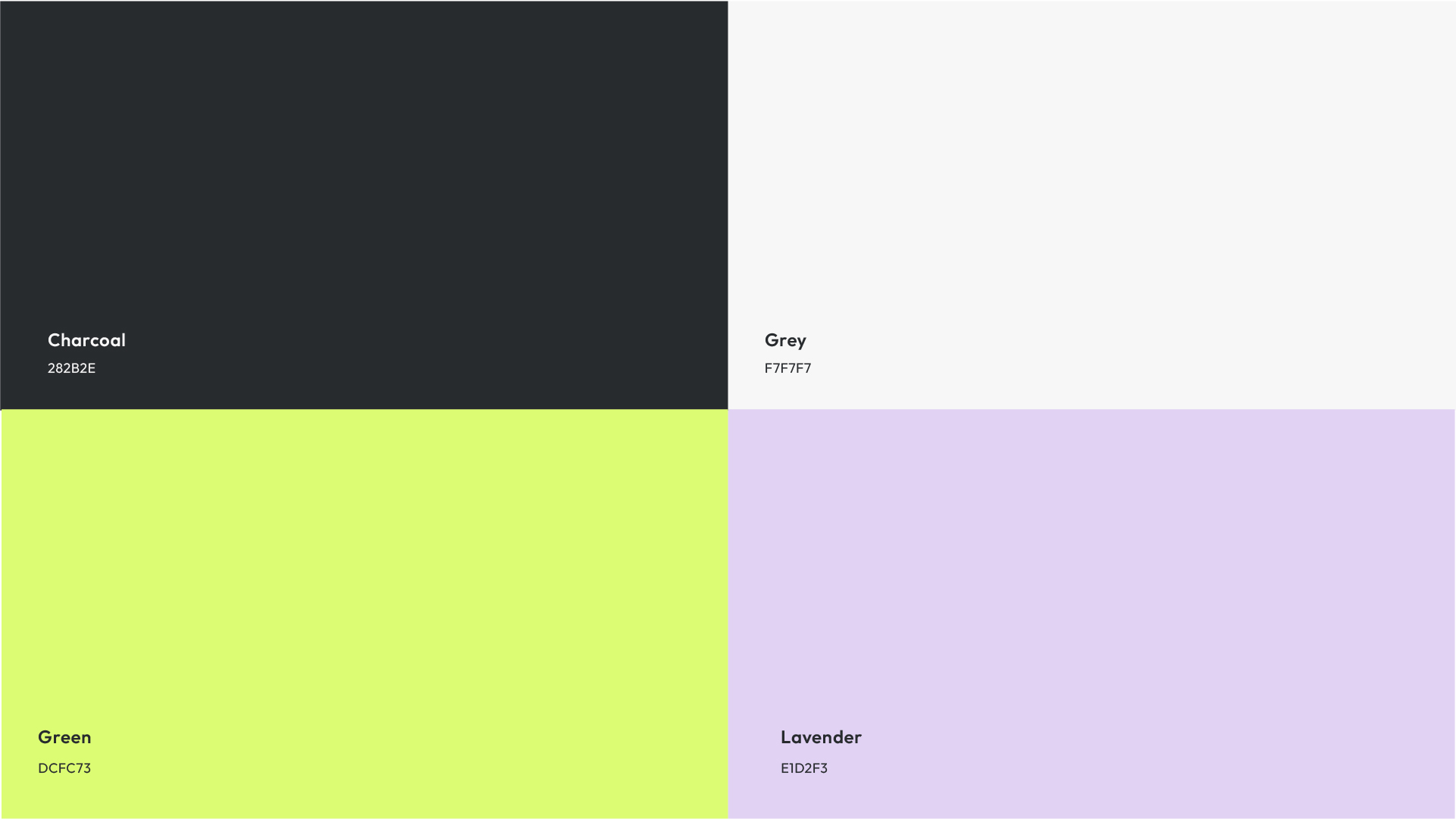
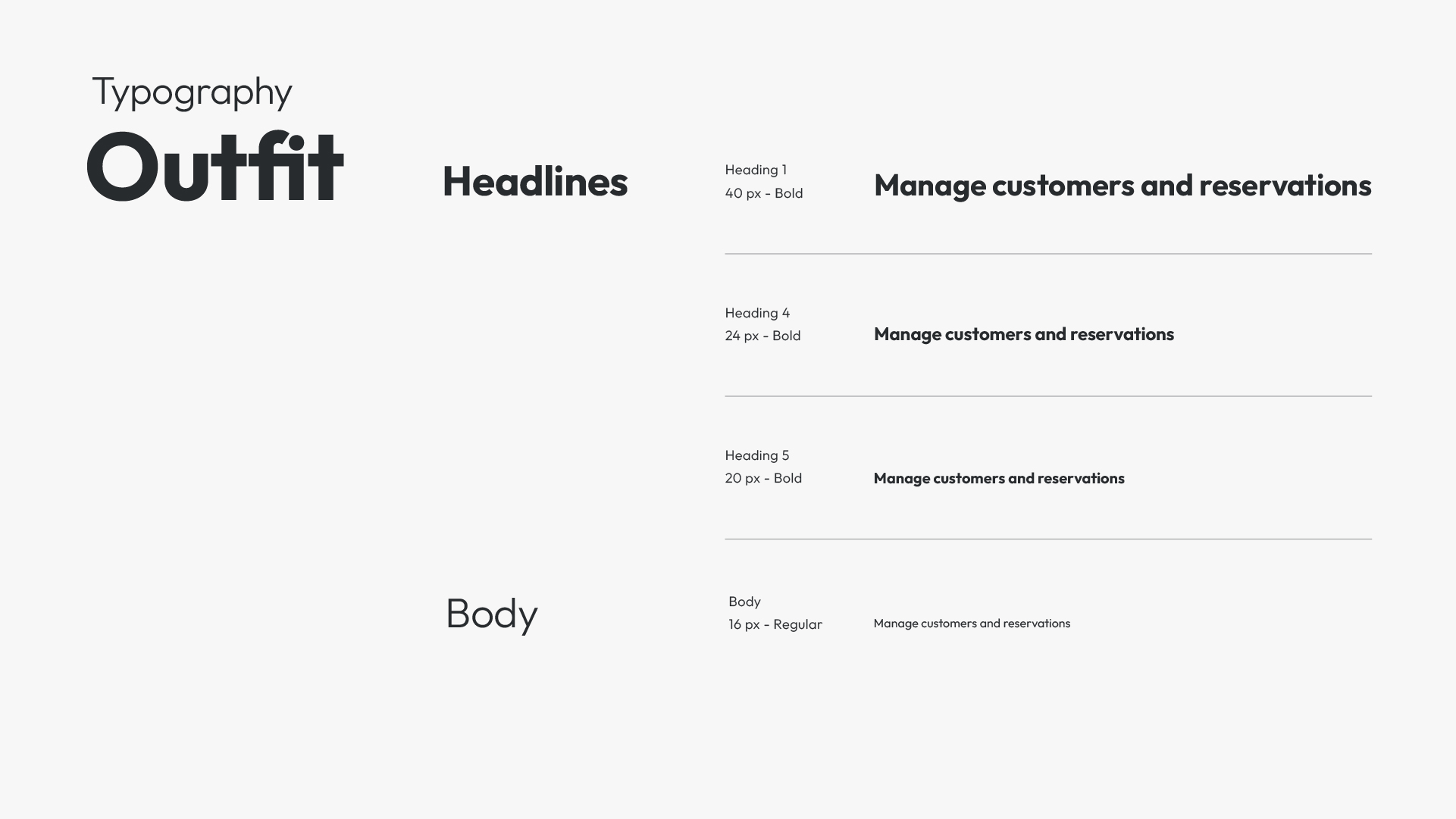
The visual design of Travel Flow focuses on clarity, hierarchy, and ease of use in a data-dense environment.
A restrained color palette and neutral surfaces were chosen to reduce visual noise and support fast scanning across tables and dashboards. Accent colors are used sparingly to highlight status, actions, and key information.

Prototypes
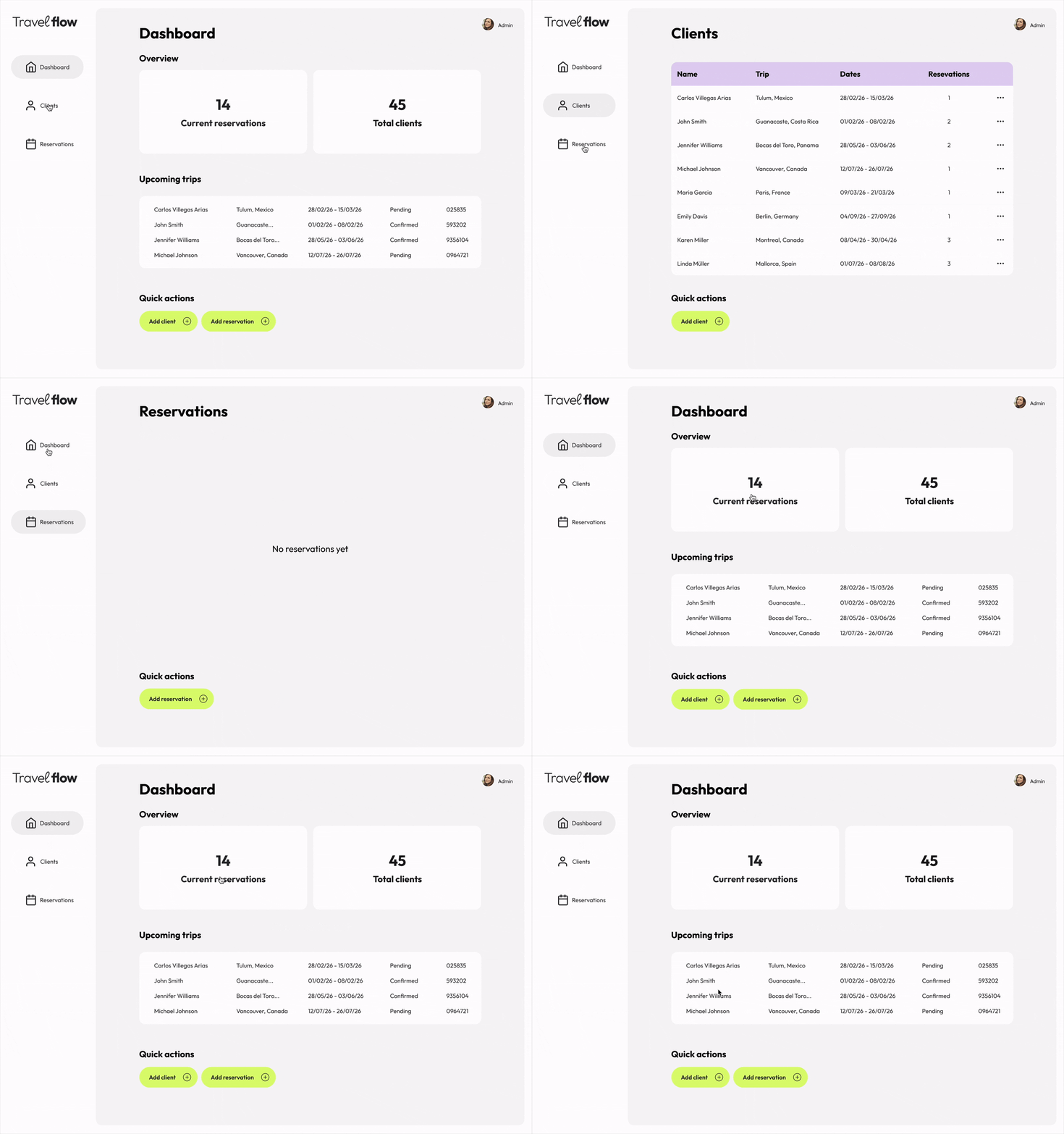
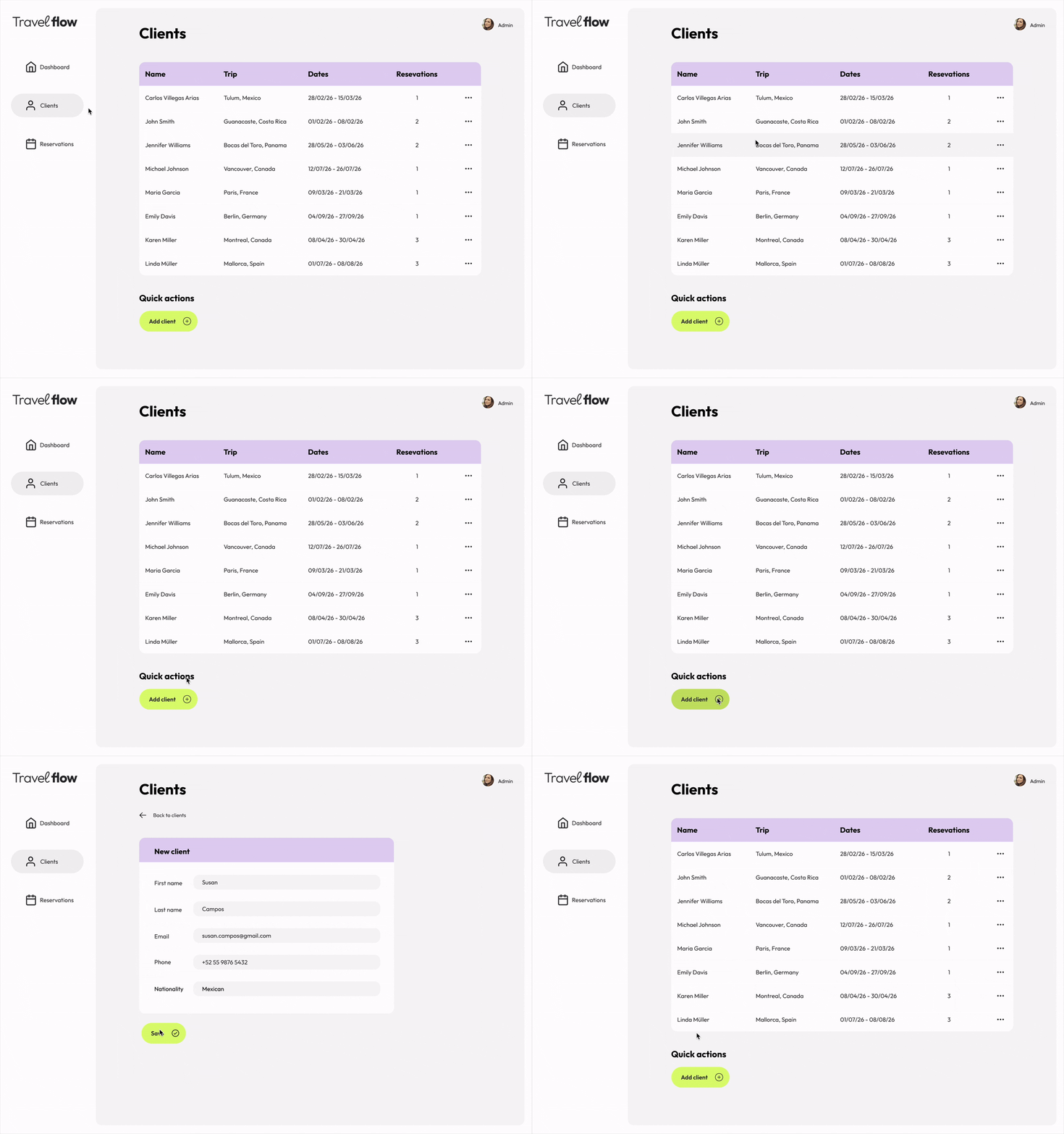
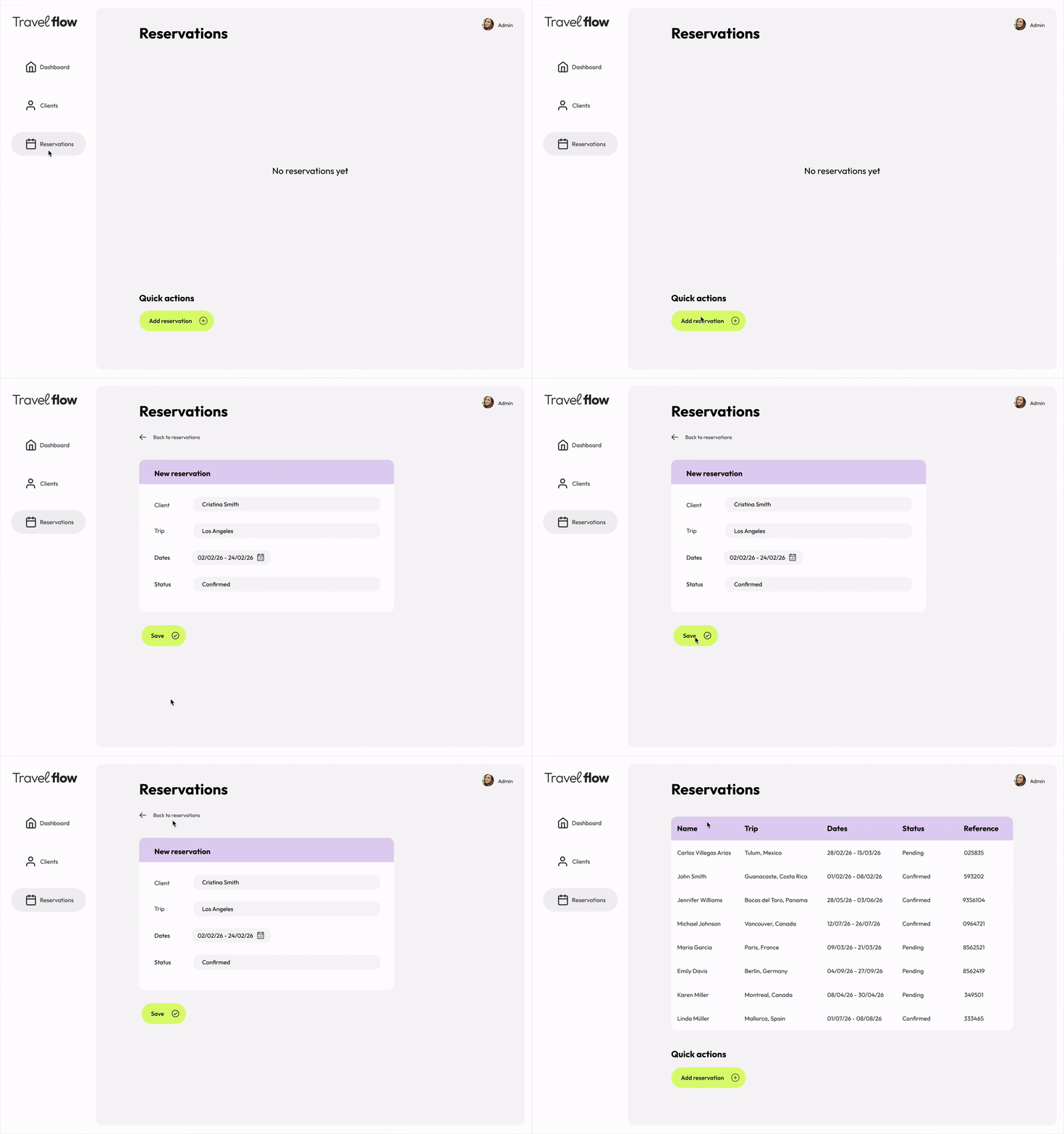
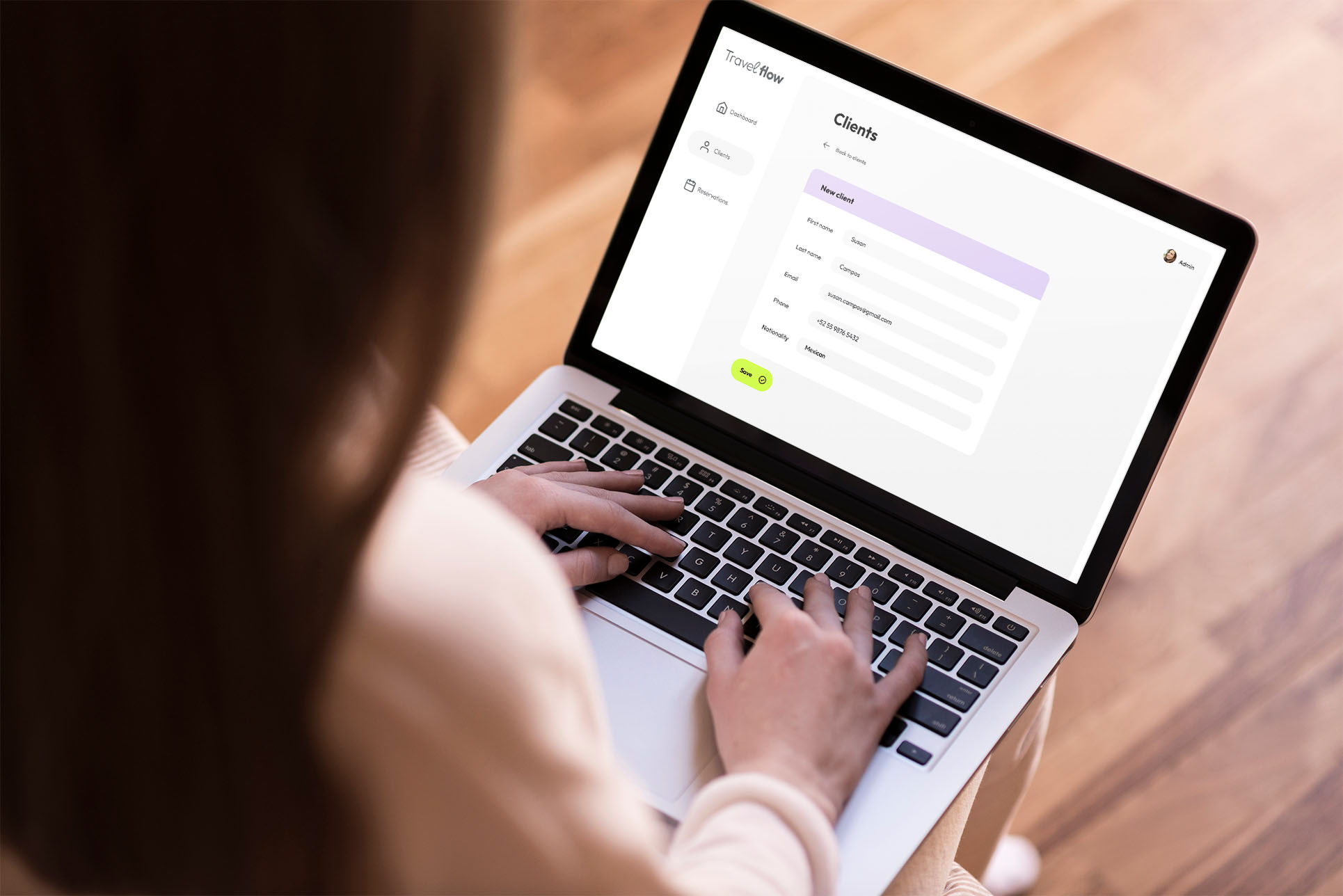
The prototype focuses on demonstrating key interaction patterns rather than full functionality. It explores how users navigate between client lists, reservation details, and contextual actions, with an emphasis on maintaining visibility of the main workspace.
Micro-interactions such as hover states, transitions, and slide-in panels were included to communicate intent and hierarchy.